Author: hamzaa.saadaouii

  • Premium IPTV Europe 2026: What Sets the Best Services Apart

    Premium IPTV Europe 2026: What Sets the Best Services Apart

    Choosing a premium IPTV Europe service in 2026 means looking past glossy sales pages and asking the harder questions: where are the servers, what app are you locked into, how secure is payment, and what happens when 100,000 people want to watch the same match at the same time. This guide breaks down what separates a genuine premium European IPTV service from a budget reseller with a slick website.

    Premium IPTV Europe service comparison showing server hubs across the continent

    What “Premium” Actually Means in 2026

    The word “premium” is overused in this market. Every provider claims it. The real definition is operational, not marketing: a premium IPTV Europe service is one with the infrastructure, support and policies of a business that intends to be around in five years — not five months.

    Four things distinguish a genuinely premium service:

    • Local European server infrastructure rather than a single distant data centre.
    • Freedom of player choice rather than a forced branded app.
    • Trusted payment processors rather than untraceable methods.
    • Honest annual pricing with real long-term value rather than a parade of upsells.

    Infrastructure: The Defining Factor

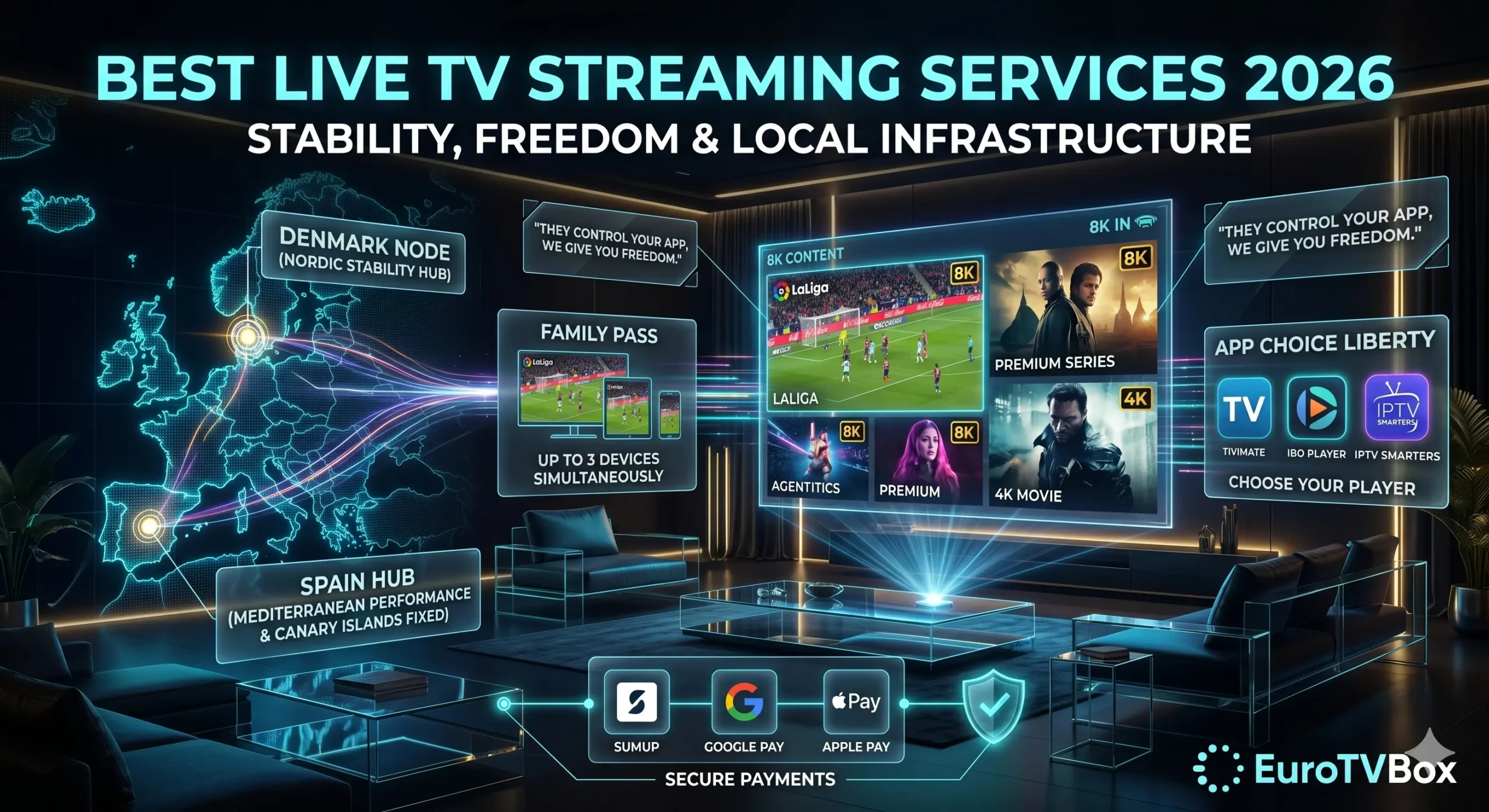
    A premium IPTV Europe operator runs servers physically close to its viewers. EuroTVBox operates two dedicated European hubs:

    • Denmark hub — tuned for low-latency Nordic fibre networks, keeping Sweden, Norway, Denmark and Finland on short, stable routes.
    • Spain hub — engineered to bypass local ISP throttling across Iberia, with a built-in EPG offset fix for expats in Lanzarote and the Canary Islands.

    The result is consistent performance whether you’re in Manchester, Marseille, Madrid or Malmö. Load balancing keeps the stream stable when concurrent demand peaks — which is exactly when low-tier providers collapse.

    App Choice: The premium European IPTV Difference

    A genuinely premium IPTV Europe provider gives you complete freedom over the player you use. EuroTVBox supports TiviMate, IBO Player and IPTV Smarters — your choice. No forced branded app, no injected software, no single point of failure.

    “I had other IPTV providers, but I’m not happy with their service as they control which app I install on and they insert it. So I looked up best IPTV Europe providers, read up about all of them and you were the best by far.”— Verified EuroTVBox customer

    Premium vs Budget: A Direct Comparison

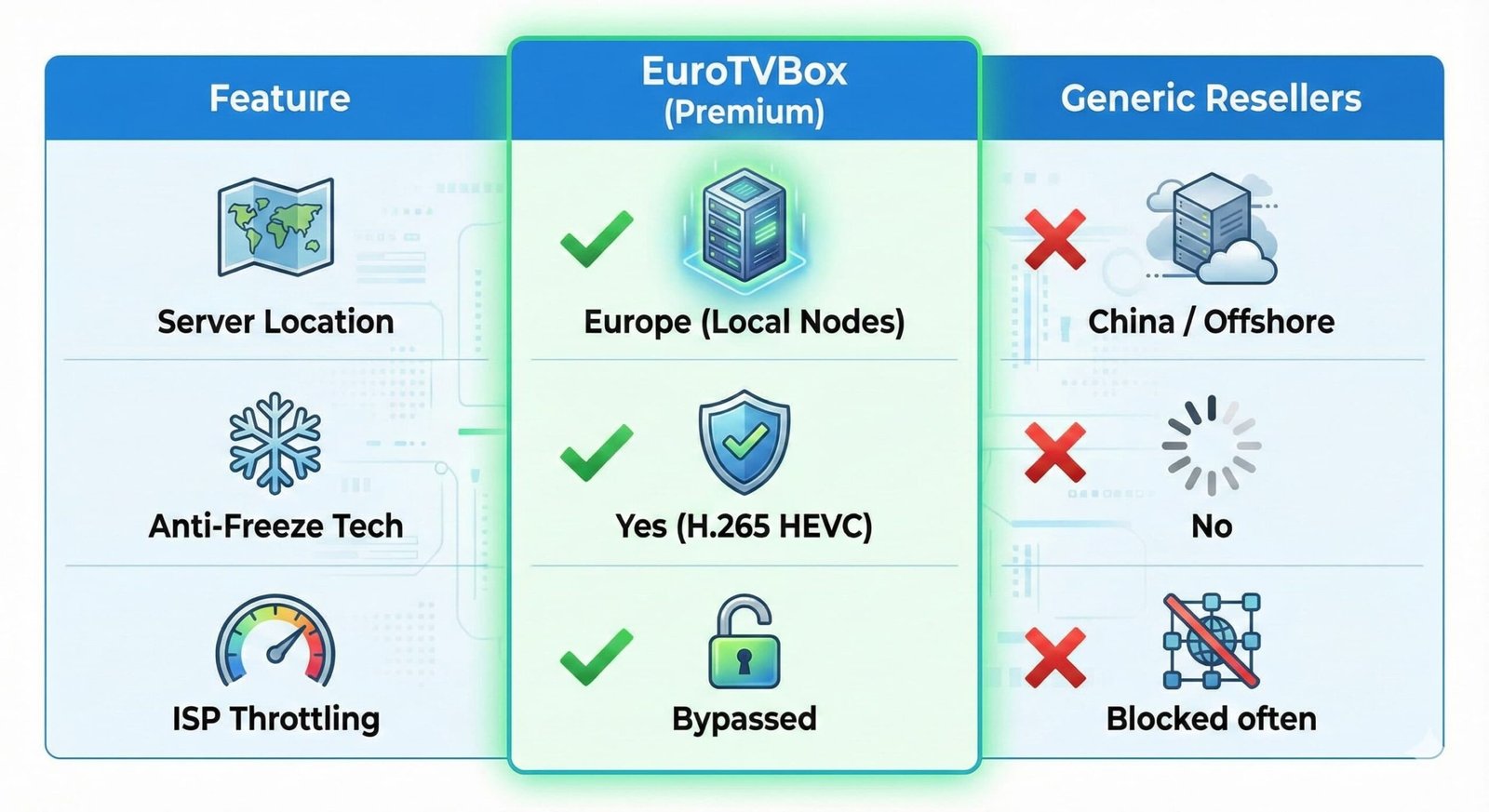
    FeatureBudget ResellerPremium IPTV Europe
    Server locationOne distant data centreMultiple local EU hubs
    App choiceLocked to one appFree choice of premium players
    Peak-time stabilityCollapses under loadLoad-balanced infrastructure
    PaymentUntraceable methodsSumUp, Google Pay, Apple Pay
    SupportSlow or absentResponsive European-focused

    Regional Performance Across Europe

    UK & Ireland

    High demand for live sport means infrastructure quality shows immediately. Premium routing delivers near-instant channel switching and stable 4K.

    France & Benelux

    Excellent broadband across these markets means viewers notice lag instantly. Clean Northern European routing meets the standard.

    Spain, Italy & the Mediterranean

    The Spain hub anchors stability across the southern half of the continent and serves the large British and Irish expat communities along the Mediterranean coast.

    Scandinavia & the Baltic

    The Denmark hub keeps Nordic viewers on the short, stable routes their fibre networks deserve.

    Secure Payment in 2026

    A common and reasonable worry is handing card details to an unfamiliar site. A premium European IPTV provider should remove that worry entirely. EuroTVBox uses established, trusted payment processors — SumUp, Google Pay and Apple Pay — so you check out through systems you already use, with their security protections built in. No raw card details typed into an unfamiliar form. This is what separates a serious operator from a fly-by-night reseller. The European Payments Council publishes broader information on secure payment standards via europeanpaymentscouncil.eu.

    Red Flags to Watch For

    A service marketing itself as high-end isn’t necessarily one. Before committing to any annual plan, watch for these warning signs:

    • No visible business address or company information. Anonymous operators tend not to be around for long. A legitimate service has a public footprint.
    • Crypto-only or wire-transfer-only payment. Trusted providers use established processors. Refusing them is a tell.
    • Lifetime subscriptions or absurdly cheap multi-year deals. No infrastructure-backed service can sustain that pricing. The offer collapses before delivery.
    • Forced installation of a specific app. The first thing a serious operator does is let you choose your tools. A forced app is a forced dependency.
    • No trial or money-back option. Confident providers stand behind their stream. Reluctance to let you test is reluctance to be judged.

    Get into the habit of running this five-point check on any provider you’re considering. It rules out the worst of the market in under a minute.

    What “Premium” Should Feel Like Day to Day

    The right service mostly disappears into the background. Channels switch instantly. The guide is accurate. The stream stays up during the match. You stop thinking about the technology because there’s nothing to fix. That’s the standard. Anything that demands constant attention — re-buffering, freezing apps, missing channels, broken EPG — isn’t operating at a premium level, regardless of what the marketing says.

    A Note on Customer Support

    Infrastructure and player choice are the technical foundations of a quality service, but customer support is the human one. The best technical setup in the world doesn’t help if you can’t get a response when something does go wrong. A serious operator answers questions promptly, in clear language, without scripted boilerplate. They acknowledge issues when they exist and explain timelines for fixes. They speak to you as a customer, not as a ticket number.

    This matters most at exactly the moments when you’d otherwise switch provider — a sudden buffering spell during an important match, a billing question that needs immediate resolution, an EPG misalignment after a daylight savings change. The way a provider handles those moments is a much better signal of long-term quality than any feature list. Try contacting support before you subscribe; the speed and tone of their reply tells you almost everything you need to know.

    Honest Pricing for a Premium Service

    1-Year Pack — €67.99/yr

    • Family Pass — 3 simultaneous devices.
    • FREE 1-Year App Player Activation — €15 value.
    • Priority Denmark & Spain hub access.
    • Secure checkout via SumUp, Google Pay and Apple Pay.

    At roughly €5.67 a month for three devices, with the player activation included free, the 1-Year Pack is the clearest long-term value in the European premium IPTV market — without the friction of recurring monthly billing.

    For broader context on choosing a European IPTV service, see our full guide to the best IPTV providers in Europe.

    FAQ: Premium IPTV Europe

    What makes a premium IPTV Europe service different from a budget one?

    Local server hubs, freedom of app choice, trusted payment processors, and honest long-term pricing. Budget services cut corners on all four; premium services invest in all four.

    Is premium IPTV worth the higher price?

    When the annual plan works out to about €5.67 a month for three devices, “premium” is no longer expensive. The real cost is the time and frustration wasted on a service that buffers or disappears mid-subscription.

    Which app should I use with a premium IPTV Europe service?

    Any premium player you prefer — TiviMate, IBO Player or IPTV Smarters. A premium provider lets you choose; a budget one forces a single branded app on you.

    How do I know a provider is genuinely premium?

    Ask for specifics. Where are the servers physically located? Which players are supported? What payment processors are used? A genuine premium operator answers these directly. A reseller dodges them.

  • How to Fix IPTV Buffering in Europe 2026: The Complete Guide

    If you need to fix IPTV buffering on your stream, the good news is that most cases come down to four causes — and all four are solvable. Buffering is rarely a mystery; it’s almost always a distant server, an overloaded provider, a stale player cache, or a network bottleneck on your side. This guide walks you through diagnosing which one is hitting you, and exactly what to do about it.

    Diagram showing how to fix IPTV buffering on a European streaming setup

    Why IPTV Buffers in the First Place

    Streaming video is essentially a continuous race between your device receiving data and your screen consuming it. Buffering is what you see when the device runs out of received data faster than it can fetch the next chunk. The race is lost.

    That loss happens for one of four reasons, and identifying which one is the first step to fix IPTV buffering for good:

    • The provider’s server is too far away. Every hop between you and the source adds latency. A provider with one distant data centre will buffer for most of Europe.
    • The provider’s server is overloaded. Cheap providers oversell capacity. At peak times the server can’t keep up with concurrent demand.
    • Your local network is choking. Weak Wi-Fi signal, an old router, or too many devices competing for bandwidth.
    • Your player or device is misconfigured. Stale cache, outdated app version, low-memory device with too many background apps.

    Diagnose the Cause in Two Minutes

    Before changing anything, do this quick test to know what you’re up against:

    1. Run a speed test on the same device you’re streaming on. Note the download speed and ping. Below 25 Mbps download is marginal for 4K. Ping above 50 ms is high.
    2. Try a different channel. If only one channel buffers, it’s that specific stream. If everything buffers, it’s broader.
    3. Try at a different time. If it’s smooth at 3pm and bad at 9pm, the provider is oversubscribed at peak hours.
    4. Try a different device on the same connection. If a phone streams smoothly but a Firestick doesn’t, the device is the problem.

    These four tests narrow the cause down within minutes. Then you apply the right fix.

    Network Fixes to Try First

    Network issues are the most common cause and the easiest to fix:

    • Move closer to your router or use Ethernet. Wi-Fi signal halves every wall and floor it passes through. A wired connection eliminates the problem entirely.
    • Switch to 5 GHz Wi-Fi if your router supports it. 5 GHz is faster but shorter-range than 2.4 GHz. If you’re in the same room as the router, it’s the better choice.
    • Pause downloads on other devices. A family member running a big download or game update will eat your stream’s bandwidth.
    • Restart your router. Mundane, but it fixes plenty of intermittent issues. Power off for 30 seconds, then back on.
    • Check for ISP throttling. Some ISPs throttle streaming traffic at peak hours. EuroTVBox’s Spain hub is engineered to bypass common throttling patterns.

    Device and Player Fixes to Fix IPTV Buffering

    If your network is fine but a specific device still struggles, the fix is on that device:

    • Clear the player’s cache. Every player has this option in its settings. It’s the single highest-impact fix you can do in 30 seconds.
    • Update your player. Outdated versions of TiviMate, IBO Player or IPTV Smarters can cause buffering that simply doesn’t exist on the current version.
    • Increase the buffer size in player settings. A bigger buffer smooths over brief network dips. The trade-off is a slightly longer initial load.
    • Restart the device fully. Unplug the Firestick, Smart TV, or box for 30 seconds, then power back on. Clears memory leaks.
    • Try a different player. Because EuroTVBox doesn’t lock you into one app, you can switch from TiviMate to IBO Player or IPTV Smarters in minutes. App freedom means you always have a fallback.

    “I had other IPTV providers, but I’m not happy with their service as they control which app I install on and they insert it. So I looked up best IPTV Europe providers, read up about all of them and you were the best by far.”— Verified EuroTVBox customer

    When You Need to Fix IPTV Buffering by Changing Provider

    If you’ve worked through everything above and the stream still buffers, the provider is the problem. The signs that point to a provider issue rather than a local one:

    • It only buffers at peak hours (7–11pm). Classic oversubscribed-server symptom.
    • Other streaming services work fine on the same network. Netflix, YouTube and Disney+ work, but your IPTV doesn’t. The provider is the bottleneck.
    • Major live events collapse the stream. A Champions League night or World Cup match should not break a quality service.
    • The provider has no European server hubs. A single distant data centre cannot deliver consistent quality across Europe. Local hubs are essential.

    This is exactly why EuroTVBox runs dedicated European server nodes — a Denmark hub for Nordic fibre networks and a Spain hub that bypasses ISP throttling across Iberia, with the EPG offset fix included for expats in Lanzarote and the Canary Islands. Combined with load balancing for peak-time concurrency, the infrastructure is engineered to fix IPTV buffering at the source. For a fuller breakdown, see our guide to the best IPTV providers in Europe.

    European Regions and Buffering Patterns

    UK & Ireland

    High concurrent demand for sport means peak-time buffering is the main complaint here. Solved by load-balanced infrastructure.

    Spain & Italy

    ISP throttling is a common cause. The Spain hub is built specifically to route around it.

    Scandinavia

    Excellent fibre, but distant servers waste it. The Denmark hub keeps Nordic routes short.

    Your 60-Second Buffering Checklist

    If your stream starts stuttering mid-match, run through this short list in order before doing anything drastic:

    1. Pause and let the buffer fill. Wait 30 seconds, then press play. Often enough on its own.
    2. Drop quality one notch. If 4K is struggling, switch to 1080p temporarily until the congestion clears.
    3. Clear the player cache. Thirty seconds in the player settings.
    4. Switch hub. EuroTVBox subscribers can move between Denmark and Spain nodes freely.
    5. Restart the device. Last resort during a match — but reliable.

    Keep this list near your TV and most buffering issues become brief interruptions rather than ruined evenings.

    On Amazon devices specifically, why your Firestick keeps buffering and our IPTV Firestick Europe setup guide cover the settings that matter most.

    A Provider Built to Avoid Buffering

    1-Year Pack — €67.99/yr

    • Family Pass — 3 simultaneous devices.
    • FREE 1-Year App Player Activation — €15 value.
    • Priority Denmark & Spain hub access.
    • Secure checkout via SumUp, Google Pay and Apple Pay.

    The fastest way to prove whether your provider is the bottleneck is to run a second line alongside it — a free 24-hour IPTV trial is enough to tell.

    FAQ: Fix IPTV Buffering

    Why does my IPTV buffer only at night?

    Night-only buffering is the classic sign of an overloaded provider whose servers can’t handle peak-time concurrency. Premium providers use load balancing to maintain stream quality even at the busiest hours.

    Will a faster internet connection fix IPTV buffering?

    Sometimes. If you’re below 25 Mbps for 4K or 10 Mbps for HD, yes. Above those thresholds, more speed rarely helps — the problem is upstream at the provider. Ofcom publishes guidance on broadband speeds.

    Does a VPN fix IPTV buffering?

    Usually not — a VPN adds an extra hop, which often makes buffering worse, not better. The exception is if your ISP is throttling streaming traffic specifically, but a provider with proper European hubs is the cleaner fix.

    Why does Netflix work but my IPTV buffers?

    Netflix uses globally distributed servers that put a node close to almost every viewer. IPTV providers without local European hubs can’t match this. The fix is choosing a provider with infrastructure close to you.

    How do I know if it’s my router or my IPTV provider?

    Run a speed test, then test other streaming services on the same connection. If everything else works smoothly and only IPTV buffers, the provider is the cause.

  • IPTV Firestick Europe 2026: The Complete Setup & Stability Guide

    Getting IPTV Firestick Europe right comes down to two things: a service with proper local server infrastructure, and a Firestick configured to take advantage of it. The Amazon Fire TV Stick is the most popular streaming device in Europe — and also the one most prone to buffering when paired with the wrong provider. This guide explains exactly how to get smooth, stable streaming on your Firestick across the UK, Ireland, France, Spain, the Netherlands and Scandinavia.

    IPTV Firestick Europe setup on a smart TV with EuroTVBox interface

    Why the Firestick Dominates European Streaming

    The Amazon Fire TV Stick has become the de facto streaming device across Europe for three reasons: it’s affordable, it plugs into any HDMI port to instantly turn an older TV into a smart TV, and it runs Android-based apps. That last point matters enormously for IPTV — it means you can install premium players like TiviMate, IBO Player or IPTV Smarters directly on the device, with no jailbreaking or sideloading hacks needed.

    But popularity has a downside. Because so many viewers use Firestick, it’s also the device most often blamed for buffering, lag and stuttering. The truth is that the Firestick itself is rarely the problem. The problem is almost always either the provider’s server location or the player configuration — both of which are entirely fixable.

    What Actually Matters for IPTV Firestick Europe

    Most reviews of IPTV services on Firestick focus on channel lists and price. Those matter, but they’re not what determines whether your Friday-night stream collapses. The factors that really decide your experience are:

    • Server proximity. A provider with European hubs — for example, our Denmark node for Nordic viewers and Spain node for Iberian viewers — keeps latency low and 4K stable. A provider streaming from one distant data centre will buffer for half the continent.
    • Peak-time capacity. Anyone can deliver a clean stream at 2pm. The real test is 9pm on a match night when millions of viewers are concurrent. Premium providers invest in load balancing for exactly this.
    • Player freedom. Being locked into one branded app is a trap. If that app has a bug, you have no fallback. With true app freedom — TiviMate, IBO, IPTV Smarters — you always have options.
    • EPG accuracy. A channel guide showing the wrong times is the mark of an amateur service. A timezone offset fix is essential, particularly for expats in Spain and the Canary Islands.

    Step-by-Step IPTV Firestick Europe Setup

    Getting started takes about ten minutes. Here’s the clean, modern way to do it without sideloading or hacks:

    1. Connect your Firestick to your strongest network. Wi-Fi is fine for most users, but if your router is in a different room, consider an Ethernet adapter for the most stable signal.
    2. Install your chosen player. Search the Amazon Appstore for TiviMate, IBO Player, or IPTV Smarters. Install whichever you prefer.
    3. Add your EuroTVBox playlist URL. Open the player, choose “Add playlist”, and paste the URL you received with your subscription.
    4. Connect to your nearest server hub. Nordic viewers use the Denmark node; Iberian viewers use the Spain node. The right hub makes the difference between flawless and frustrating.
    5. Set your EPG timezone offset. In the player’s EPG settings, set the offset that matches your local time. This is especially important for Lanzarote and the wider Canary Islands.

    That’s the whole setup. Restart your Firestick after the first install — a clean reboot clears any leftover memory from other apps and gives your IPTV experience the best possible start.

    Fixing Buffering on IPTV Firestick Europe Setups

    If your stream stutters, work through these fixes in order. The first three resolve the vast majority of cases:

    • Clear your player’s cache. Settings → Applications → Manage Installed Applications → [your player] → Clear cache. This single step fixes more issues than any other.
    • Switch server hub. If you’re connected to a distant node, switch to the closest one. EuroTVBox subscribers can swap between Denmark and Spain hubs freely.
    • Test your bandwidth. 4K needs roughly 25 Mbps consistently. If your line is below that during peak hours, the stream will suffer regardless of provider.
    • Restart the Firestick. A full power-cycle (unplug for 30 seconds, plug back in) clears memory leaks from other apps.
    • Try a different player. If TiviMate is misbehaving on your specific Firestick model, switch to IBO Player or IPTV Smarters. App freedom means you always have a fallback.

    Persistent buffering despite all of the above usually points to an overloaded provider, not your hardware. For a deeper breakdown of what separates a stable European service from the rest, see our guide to the best IPTV providers in Europe.

    If your current stick already stalls, the deeper diagnosis in why your Firestick keeps buffering covers cache, throttling and player settings in detail.

    The Best Players for IPTV Firestick Europe Viewers

    EuroTVBox doesn’t lock you into a single branded app. You’re free to pick the player that suits you best:

    PlayerStrengthsBest for
    TiviMatePolished interface, fast EPGMost viewers
    IBO PlayerSimple, lightweightLess tech-savvy users
    IPTV SmartersVery widely supportedCross-device households

    “I had other IPTV providers, but I’m not happy with their service as they control which app I install on and they insert it. So I looked up best IPTV Europe providers, read up about all of them and you were the best by far.”— Verified EuroTVBox customer

    European Server Coverage by Region

    Your Firestick connects to the closest EuroTVBox hub automatically, which means consistent performance wherever you are in Europe:

    UK & Ireland

    Low-latency routing keeps your Firestick on stable 4K even during peak-hour sport. Channel switching is near-instant.

    Spain & the Canary Islands

    Our Spain hub bypasses local ISP throttling, and the built-in EPG offset fix keeps the channel guide aligned with local time across Lanzarote and the wider Canaries.

    Netherlands & Central Europe

    Northern European routing meets the high broadband standards of Dutch, German and Austrian users.

    Scandinavia

    Our Denmark hub keeps Sweden, Norway, Denmark and Finland on short, stable routes — ideal for Nordic fibre connections.

    Common Mistakes to Avoid

    Most Firestick frustration comes from a handful of avoidable mistakes. Watch for these:

    • Buying the cheapest provider you find. Headline price tells you nothing about infrastructure. The cheapest providers tend to be the ones with one overloaded server.
    • Letting too many background apps run. The Firestick has limited memory. If you’ve got a dozen streaming apps competing for resources, performance suffers across all of them.
    • Skipping the timezone offset. A guide showing matches at the wrong time is a daily annoyance you can fix in 30 seconds.
    • Trusting providers that don’t offer a trial. A confident provider lets you test before paying. Anyone demanding payment up-front is hiding something.

    Get these right and your setup will hold up for years, not months.

    The Best-Value Subscription

    1-Year Pack — €67.99/yr

    • Family Pass — 3 simultaneous devices.
    • FREE 1-Year App Player Activation — a €15 value included.
    • Priority Denmark & Spain server access.
    • Secure checkout via SumUp, Google Pay and Apple Pay.

    Rule out the line itself with our guide to fixing IPTV buffering in Europe, or simply test the difference on your own connection with a free 24-hour trial.

    IPTV Firestick Europe: FAQ

    Which Firestick model is best for IPTV in Europe?

    The Fire TV Stick 4K and 4K Max both handle 4K IPTV streams comfortably. The standard Fire TV Stick works well for 1080p but can struggle with 4K on weaker connections. For the smoothest experience, the 4K Max is the best balance of price and performance. More background on the device line is available on Wikipedia’s Amazon Fire TV page.

    Why does my Firestick buffer with IPTV?

    Buffering on Firestick is almost always a combination of a distant server, an overloaded provider, or a stale app cache. Switching to a nearby server hub and clearing your player’s cache resolves the vast majority of cases.

    Can I use my own IPTV player on Firestick?

    Yes. EuroTVBox gives you free choice of player — TiviMate, IBO Player or IPTV Smarters — installed directly from the Amazon Appstore. We never force you into a single branded app.

    What internet speed do I need for IPTV Firestick Europe streaming?

    Around 10 Mbps for full HD and 25 Mbps for 4K, sustained during peak hours. Most European broadband easily covers this, but a quick speed test at peak time is worth doing before you subscribe.

    Can my whole household use IPTV at once?

    With the 1-Year Pack’s Family Pass, three simultaneous devices are supported — perfect for a Firestick on the main TV, a tablet, and a second device elsewhere in the home.

    Is paying for IPTV on Firestick safe?

    It’s safe when the provider uses trusted payment processors. EuroTVBox accepts SumUp, Google Pay and Apple Pay, so you never enter raw card details into an unfamiliar form.

  • IPTV for World Cup 2026: Get Your Setup Ready | EuroTVBox

    IPTV for World Cup 2026: Get Your Setup Ready | EuroTVBox

    Getting your IPTV World Cup 2026 setup right before the tournament kicks off is the difference between a flawless summer of football and a frustrating one spent staring at a buffering wheel. With 104 matches across 39 days, this is the biggest live-streaming event of the year — and the moment weak services collapse under demand. This guide explains how to prepare a stable setup so your stream holds up when it matters most.

    When Is World Cup 2026?

    The 2026 FIFA World Cup runs from 11 June to 19 July 2026, jointly hosted by the United States, Canada and Mexico. It’s the largest edition ever: 48 teams, 12 groups, and a record 104 matches — including a brand-new Round of 32 before the familiar knockout rounds. You can read the full tournament background on Wikipedia’s World Cup 2026 page.

    For viewers in Europe, the North American host venues mean many kick-offs land in the evening and late night across UK, Irish and continental time zones — prime viewing hours, and exactly when home networks and streaming servers are busiest. Preparation matters.

    Why Prepare Your IPTV Setup Early

    Major tournaments expose the weaknesses in a streaming setup that you’d never notice during ordinary viewing. When millions of people stream simultaneously, three things tend to break: overloaded servers buffer, locked-down apps crash without a fallback, and channel guides show the wrong kick-off times across time zones.

    The viewers who enjoy a smooth tournament are the ones who sorted their setup out in advance — confirming their service stays stable under load, that their preferred app works, and that their guide shows correct local times. Leaving it until the opening match is how people end up missing goals.

    Your World Cup 2026 Readiness Checklist

    Run through these steps before the tournament begins so nothing surprises you on match day:

    1. Test your connection speed. Stable 4K needs consistent bandwidth; run a speed test on the device you’ll actually watch on.
    2. Pick a server hub close to you. Nordic viewers should use the Denmark node; Iberian viewers the Spain node, to keep latency low.
    3. Set your EPG timezone offset. Make sure your channel guide shows correct local kick-off times — vital when matches run late into the European night.
    4. Choose and update your player. Install TiviMate, IBO Player or IPTV Smarters and update it before the tournament.
    5. Do a dry run during a busy evening. Watch something live at peak time to confirm everything holds up.

    Stability When Everyone Is Watching at Once

    The defining test of any provider is peak-time performance, and a global tournament is the ultimate stress test. EuroTVBox is built for exactly this kind of concurrent demand through localised European infrastructure:

    • Denmark hub — tuned for Nordic fibre networks, keeping Sweden, Norway, Denmark and Finland on short, stable routes even during the busiest matches.
    • Spain hub — engineered to bypass local ISP throttling across Iberia, with an EPG offset fix for expats in Lanzarote and the Canary Islands so kick-off times display correctly.
    • Load balancing — distributes demand so peak-time concurrency doesn’t collapse picture quality, keeping the feed in crisp 4K.

    This regional approach is why viewers across the UK, Ireland, France, the Netherlands and Scandinavia stay stable when single-data-centre providers stutter. For a fuller breakdown, see our guide to the best IPTV providers in Europe.

    App Freedom So Nothing Crashes Mid-Match

    Providers that lock you into a single branded app leave you stranded if that app crashes during a match. EuroTVBox gives you complete freedom to use premium players like TiviMate, IBO Player or IPTV Smarters — so if you ever want to switch, you simply load your stream in another trusted player. No forced software, no injected apps, no single point of failure on the night of a big game.

    “I had other IPTV providers, but I’m not happy with their service as they control which app I install on and they insert it. So I looked up best IPTV Europe providers, read up about all of them and you were the best by far.”
    — Verified EuroTVBox customer

    Setting Up Each Device for the Tournament

    A good IPTV World Cup 2026 setup works across whatever screens your household uses. Because EuroTVBox doesn’t tie you to proprietary hardware, you can prepare each device in advance:

    • Amazon Firestick & Fire TV — the most common European streaming device, and the one most prone to buffering when poorly configured. Clear the app cache and connect to a nearby hub before the first match.
    • Smart TVs (Samsung, LG) — ideal for the main living-room screen where the household will gather for the big games.
    • Android phones & tablets — perfect as a second screen for following another match simultaneously.
    • MAG boxes & Apple TV — fully supported for users who prefer dedicated set-top hardware.

    Preparing every device now means that when the opening match arrives, your entire IPTV World Cup 2026 setup is already tested and ready — no scrambling to fix things while the anthems play.

    Test Before the Tournament With a Free Trial

    The smartest way to guarantee a smooth tournament is to test your provider before committing — and well before the opening match, so you have time to fine-tune. A free trial lets you confirm channel-switching speed, peak-time 4K stability, and that your chosen player works on your device, all under the real conditions you’ll face in June and July.

    Run your dry run during a busy evening, connect to your nearest server hub, and check that your channel guide shows correct local times. If everything holds up during the test, your IPTV World Cup 2026 experience should be smooth from the opening whistle. Learn more in our guide to starting a free IPTV trial.

    Get Tournament-Ready: The 1-Year Pack

    A tournament is best enjoyed across the household — the main TV, a tablet in the kitchen, a phone in the garden. The 1-Year Pack is built for exactly that:

    1-Year Pack — €67.99/yr

    • Family Pass — 3 simultaneous devices, so the whole household watches at once.
    • FREE 1-Year App Player Activation — a €15 value included.
    • Priority Denmark & Spain server access for the tournament.
    • Secure checkout via SumUp, Google Pay and Apple Pay — no risky card forms.

    Tournament streaming puts the same strain on a line as any major event — our AFCON guide covers where to watch the tournament and why streams stall on match day, and our buffering guide isolates the cause in two minutes.

    A Note on Watching Legally

    World Cup broadcast rights are licensed country by country, and the official broadcasters in your region hold the rights to show the matches. Always make sure you’re watching through channels you’re entitled to access in your country. A quality IPTV setup is about delivering a stable, high-quality stream of the content you’re entitled to — not about circumventing rights. FIFA publishes official tournament information and viewing guidance on its own channels via FIFA.com.

    IPTV World Cup 2026: Frequently Asked Questions

    When does World Cup 2026 start?

    The 2026 FIFA World Cup runs from 11 June to 19 July 2026, hosted across the United States, Canada and Mexico, with 48 teams and 104 matches.

    How do I get my IPTV ready for World Cup 2026?

    Test your connection, connect to a nearby server hub, set your EPG timezone offset, update your preferred player, and do a peak-time dry run before the opening match so your setup is proven under load.

    How do I stop buffering during big matches?

    Connect to a server close to your region and use a provider with load balancing built for concurrent demand. EuroTVBox’s Denmark and Spain hubs are designed to stay stable when many viewers stream at once.

    Which app should I use for the tournament?

    Any premium player you prefer — TiviMate, IBO Player or IPTV Smarters. EuroTVBox never locks you into one app, so you always have a fallback if needed.

    Will my channel guide show the right kick-off times?

    It will once the EPG timezone offset is set correctly. This matters for World Cup 2026 because the North American host venues push many kick-offs into the late European evening, and an unadjusted guide can show confusing times. EuroTVBox’s offset fix aligns the guide to your local clock, which is especially useful for expats in Spain and the Canary Islands.

    Do I need a special device for an IPTV World Cup 2026 setup?

    No. EuroTVBox works on the hardware you already own — Firestick, Smart TV, Android, MAG box or Apple TV — so there’s nothing extra to buy. Just install your preferred player, connect to a nearby server hub, and test it before the tournament begins.

    How far in advance should I set everything up?

    Aim to have your full setup tested at least a week before 11 June. That leaves time to resolve any connection, player or guide issues calmly, rather than troubleshooting while the opening match is already underway.

  • Free IPTV Trial in Europe 2026 | Test EuroTVBox Risk-Free

    Free IPTV Trial in Europe 2026 | Test EuroTVBox Risk-Free

    A free IPTV trial in Europe is the smartest way to choose a provider in 2026 — because no sales page can prove a stream will actually hold up in your home, on your device, in your region. This guide explains how a proper European trial works, what to test during it, and why testing before you buy protects you from the buffering and lock-in that frustrate so many viewers.

    Why a Free IPTV Trial Matters More Than Any Review

    Every IPTV provider claims 4K quality, thousands of channels and zero buffering. Those claims are impossible to verify from the outside. The only honest test is to run the service yourself — which is exactly what a no-cost test gives you.

    Streaming quality depends on a chain of factors unique to you: your internet speed, your device, your distance from the provider’s servers, and how loaded those servers get at peak times. A provider that’s flawless for someone in Amsterdam might stutter for someone in the Canary Islands. A trial lets you confirm performance in your specific conditions before a single euro changes hands.

    There’s also a trust signal here. A provider confident enough to let you test for free is telling you something a provider that demands payment up front isn’t: we know our infrastructure will hold up.


    Free IPTV trial in Europe 2026 running on a Smart TV with EuroTVBox

    How the EuroTVBox Free Trial Works

    Starting a trial with EuroTVBox is deliberately simple — no long forms, no card details required just to test:

    1. Request your trial. Sign up and receive your trial login credentials.
    2. Install your preferred player. Use TiviMate, IBO Player or IPTV Smarters — your choice, on your device.
    3. Connect to a local server hub. Nordic users connect to our Denmark node; Iberian users to our Spain node.
    4. Watch and judge for yourself. Test the channels and quality that matter to you, then upgrade only if you’re satisfied.

    Because we don’t require payment to start, there’s no risk and nothing to cancel if you decide it isn’t for you.

    What to Test During Your Free IPTV Trial

    To get real value from the test, don’t just glance at it for five minutes. Put it through the three tests that actually predict long-term satisfaction:

    • Channel-switching speed (zapping). Flick between channels. Premium infrastructure switches almost instantly; weak servers hang for several seconds each time.
    • Peak-time 4K stability. Watch during a busy evening or a live event. This is when overloaded providers collapse and quality providers prove themselves.
    • Your own device and player. Test on the exact Firestick, Smart TV or box you’ll use day to day, with the player you prefer.

    If a service passes all three during this test, it will almost certainly serve you well as a paying subscriber. For a deeper look at what separates premium services, see our guide to the best IPTV providers in Europe.

    App Choice Freedom — Even During the Trial

    Many providers force you into a single branded app — one they control and that you can’t replace. EuroTVBox gives you complete freedom to use premium players like TiviMate, IBO Player or IPTV Smarters from the very first minute of your free trial. No forced software, no injected apps.

    “I had other IPTV providers, but I’m not happy with their service as they control which app I install on and they insert it. So I looked up best IPTV Europe providers, read up about all of them and you were the best by far.”
    — Verified EuroTVBox customer

    Free Trial Performance Across Europe

    Because EuroTVBox runs local server hubs, your trial should perform consistently wherever you are in Europe:

    UK & Ireland

    Low-latency routing delivers fast channel switching and stable 4K — ideal for testing live sport, where buffering is most obvious.

    Spain & the Canary Islands

    Our Spain hub bypasses local ISP throttling, and the built-in EPG offset fix corrects channel-guide times for expats in Lanzarote and across the Canaries — something you can verify during the trial.

    Netherlands & Central Europe

    Clean routing through Northern European infrastructure meets the high expectations of viewers on the region’s excellent broadband.

    Scandinavia

    Our Denmark hub is tuned for Nordic fibre networks, keeping Sweden, Norway, Denmark and Finland on short, stable routes during your test.

    If you would rather see how the service compares before testing it, our review of the 5 best IPTV services in Europe sets out the shortlist and the criteria behind it.

    Trial vs Paid: What Changes When You Upgrade

    A common question is whether the test version is somehow limited compared to a full subscription. With EuroTVBox, the streaming quality you experience while testing is the same quality you get as a paying member — the infrastructure doesn’t change. What an upgrade adds is longevity and household features rather than a different stream:

    FeatureTest Period1-Year Pack
    Stream qualityFull 4KFull 4K
    App freedomYesYes
    Simultaneous devices13 (Family Pass)
    App player activationFree 1-year (€15 value)
    DurationShort test windowFull year

    Common Issues You Can Rule Out While Testing

    If you’ve been burned by a poor service before, the testing period is your chance to confirm the common problems are handled. Here’s what to look for and what causes each one:

    • Buffering on Firestick. Usually a mix of a distant, overloaded server and local Wi-Fi or app cache. Connecting to a nearby hub and clearing your player’s cache resolves the vast majority of cases — test this early.
    • Wrong programme times. Almost always a timezone (EPG offset) problem, not a broken feed. Our offset fix lets you align the guide to your local clock.
    • Lag when switching channels. A sign of weak infrastructure on other services. Premium routing should make zapping feel near-instant.
    • Quality drops at night. The classic symptom of an oversubscribed provider. Test during a busy evening to be sure.

    Ruling these out during a no-cost test is far better than discovering them after you’ve paid. It’s the whole reason testing first is worth the few minutes of setup.

    After the Trial: The Best-Value Plan

    If your free trial convinces you — and we’re confident it will — the best long-term value is the 1-Year Pack:

    1-Year Pack — €67.99/yr

    • Family Pass — 3 simultaneous devices.
    • FREE 1-Year App Player Activation — a €15 value included.
    • Priority Denmark & Spain server access.
    • Secure checkout via SumUp, Google Pay and Apple Pay — no risky card forms.

    Why Testing First Protects You

    The IPTV market is full of services that promise everything and deliver inconsistently. Sales pages are easy to write; stable infrastructure is expensive to build. A test period is your protection against that gap — it lets the service prove itself on your terms before you commit money or time.

    It also lets you confirm the practical details that matter day to day: that your household’s preferred channels are present and reliable, that the picture holds up on your biggest screen, that your chosen player behaves well, and that the channel guide shows the right times for your location. These are the small frustrations that quietly ruin a streaming experience, and they’re far easier to catch up front than to discover weeks into a subscription.

    In short: a confident provider invites you to test, a quality provider passes that test, and a smart viewer always takes them up on it before paying.

    Device-specific setup guides are available for the Amazon Firestick and for Smart TVs across Europe, so you can have the trial running in minutes.

    Free IPTV Trial: Frequently Asked Questions

    Is the EuroTVBox free trial really free?

    Yes. You can start a free trial to test the service on your own device without paying up front, so you only subscribe once you’re satisfied with the performance.

    Do I need to enter card details to start the trial?

    No card details are required just to test. When you decide to subscribe, checkout uses trusted gateways — SumUp, Google Pay and Apple Pay — so you never type raw card numbers into a form.

    Which app can I use during the free trial?

    Any premium player you like, including TiviMate, IBO Player and IPTV Smarters. EuroTVBox never forces you into a single branded app.

    Will the trial work on my Firestick?

    Yes. The trial works on Firestick, Android, Smart TVs, MAG boxes and iOS. Connecting to a nearby server hub keeps the stream stable and avoids the buffering many Firestick users experience elsewhere.

    What should I test during the trial period?

    Check channel-switching speed, 4K stability during peak evening hours, and performance on the exact device and player you intend to use long term.

    Tip: for general guidance on choosing reputable streaming services, consumer bodies such as Ofcom publish advice on online streaming.

  • IPTV Providers Europe 2026: How to Choose a Genuinely Stable Service

    IPTV Providers Europe 2026: How to Choose a Genuinely Stable Service

    Choosing between IPTV providers in Europe usually comes down to a frustrating gamble: which service will actually stay online, let you watch the way you want, and not lock you into clunky software? Almost every provider looks identical on a sales page. The differences only appear after you have paid — when the stream stalls during the match you waited all week for, or when you discover you are stuck with one buggy app you cannot replace.

    This guide sets out what separates a premium European IPTV provider from the dozens of resellers competing on channel counts: where the servers actually are, what you are free to install, what happens at peak time, and the warning signs worth checking before you commit to an annual plan.

    The Death of the Megalist: Why Channel Counts Stopped Meaning Anything

    The European market has changed. For years providers competed on vanity metrics — 30,000 channels, 50,000, 100,000 — as though the number itself were the product. Anyone who has actually lived with one of those lists knows the reality: a large share of the channels do not work, the programme guide is wrong, and support disappears when you ask about it.

    The reason is structural, not accidental. Most budget services are resellers. They buy capacity on a single overloaded server and sell it to thousands of people. On a quiet Tuesday morning it works perfectly well, which is exactly why the free trial impresses. Then the Premier League kicks off, several thousand subscribers press play within the same ten minutes, and the server chokes. Nothing about the channel count changes that — the list was never the constraint. Bandwidth was.

    So the useful question in 2026 is not how many channels a provider claims. It is how much dedicated capacity sits behind the ones you will actually watch, and how close that capacity is to your house. Everything below follows from that.

    What to Look for in the Best IPTV Providers in Europe

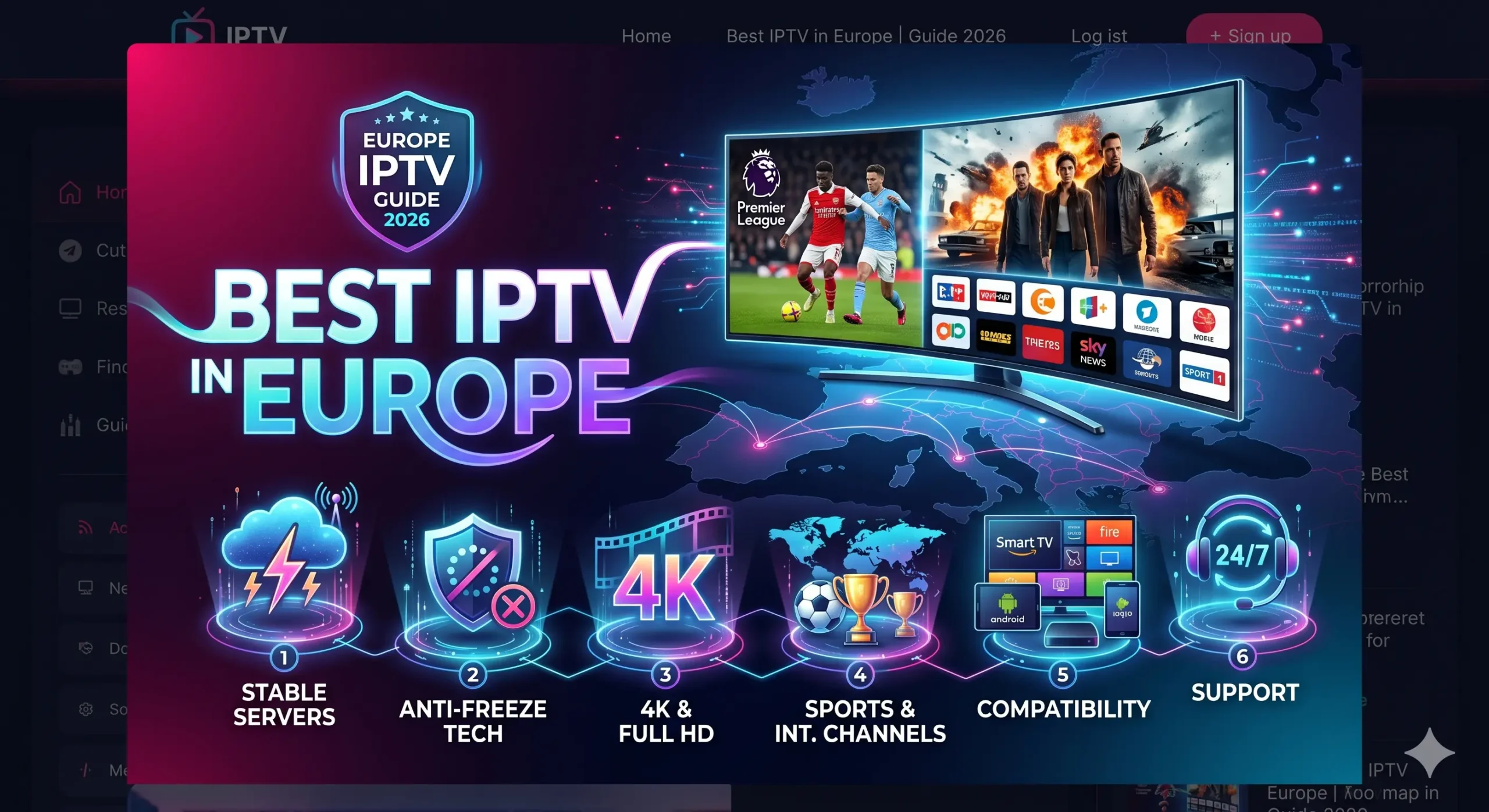
    After analysing what European viewers search for — and, more usefully, what they complain about — five factors consistently separate the better providers from the rest.

    1. Server stability and local infrastructure

    The single biggest cause of buffering is distance between you and the server. A provider streaming everything from one distant data centre will lag for half the continent. The better services run local hubs so that a viewer in Scandinavia and a viewer in Iberia each connect to something near them. When comparing providers, ask directly: where are your servers, and which one will I connect to? A vague answer is a red flag.

    2. Genuine 4K and anti-buffering performance

    "4K" on a sales page means nothing without the bandwidth and load balancing to deliver it. Premium providers invest in capacity so that peak-time demand — Champions League nights, major finals — does not collapse the stream. A service that holds a clean feed during the biggest sporting events of the year will handle everything else comfortably.

    3. App and device freedom

    Lower-tier services lock you into one rigid app. The better providers let you use the player you already know on Firestick, Android, Smart TV, MAG box or iOS. This is one of the most common reasons long-term subscribers say they switched — and stayed.

    4. Honest, long-term pricing

    Monthly plans look cheap and add up fast. Real value sits in annual pricing that locks a low effective monthly rate and includes multi-device access rather than selling it back to you as an upsell.

    5. Safe, flexible payment

    A frequent and entirely reasonable hesitation is handing card details to an unfamiliar site. A serious provider offers established checkout options so you are never typing raw card numbers into a form you do not recognise.

    Reseller or Operator? The Distinction That Decides Everything

    The word "premium" is overused in this market — every provider claims it. The honest definition is operational rather than promotional: a premium service is one with the infrastructure, support and policies of a business that intends to be around in five years, not five months.

    The practical distinction is between a reseller and an operator. A reseller rents capacity from someone else and marks it up. They do not control the servers, cannot fix a routing problem, and have no ability to correct a broken guide, because none of the infrastructure is theirs. When something fails, the honest answer they cannot give you is that there is nothing they can do. An operator runs its own nodes, decides where they sit, and can be held to account for how they perform.

    This is why the question "where are your servers?" is so effective. A reseller deflects it, because the true answer exposes the model. An operator answers with place names. Four things mark out the second kind of business: local European server infrastructure rather than one distant data centre; freedom of player choice rather than a forced branded app; trusted payment processors rather than untraceable methods; and honest annual pricing rather than a parade of upsells.

    Localized European Infrastructure: The Denmark and Spain Hubs

    EuroTVBox runs dedicated premium server nodes placed close to its largest audiences rather than routing the whole continent through one location.

    • Denmark hub — built for the low-latency fibre networks across Scandinavia, keeping Sweden, Norway, Denmark and Finland on short, stable routes for crisp 4K with instant channel switching.
    • Spain hub — engineered to bypass local ISP throttling across Iberia, with a technical EPG offset fix that corrects channel-guide times for expats in Lanzarote and the wider Canary Islands, where time-zone errors normally break the programme guide.

    The result is that whether you are a Nordic fibre user or a British expat on the Spanish coast, you connect to infrastructure built for your region rather than a distant server shared by everyone. Load balancing across those nodes is what keeps the stream steady when concurrent demand peaks — which is precisely the moment lower-tier providers collapse.

    App Choice Liberty: Watch Your Way, Not Theirs

    Here is a problem many people discover too late. A lot of IPTV providers force you into a single branded app — one they control, one you cannot replace, and in the worst cases one that installs unwanted software on your device. You are stuck with their interface, their bugs and their update schedule.

    EuroTVBox does the opposite. You use the premium player you prefer — TiviMate, IBO Player or IPTV Smarters. No forced app, no injected software. You pick the interface you already know, and we deliver a stable stream to it.

    "I had other IPTV providers, but I’m not happy with their service as they control which app I install on and they insert it. So I looked up best IPTV Europe providers, read up about all of them and you were the best by far."
    — Verified EuroTVBox customer

    Why your player says "sync is now out"

    This message worries people more than it should. It usually means your player has lost its place in the stream because packets arrived too slowly or out of order — which is a symptom of latency and server load, not a fault in the app or your television. An oversubscribed server produces it constantly; a nearby, properly provisioned one almost never does. Being free to switch players also means you can rule the app out as a cause in about two minutes, which is something a forced-app provider will never let you do.

    Generic Offshore Providers vs EuroTVBox Premium

    Not all IPTV services are built the same. Here is how a premium, support-backed European provider compares with a typical bargain-bin offshore reseller:

    FeatureGeneric offshore resellerEuroTVBox Premium
    App choiceLocked to one branded appFree choice: TiviMate, IBO, IPTV Smarters
    Server locationSingle distant data centreLocal Denmark & Spain hubs
    Peak-time stabilityCollapses under loadLoad-balanced infrastructure
    Channel guide (EPG)Wrong times, no fixTimezone EPG offset fix included
    Simultaneous devicesUsually 1Up to 3 (Family Pass)
    PaymentUntraceable / risky methodsSumUp, Google Pay, Apple Pay
    SupportSlow or noneResponsive, European-focused

    Red Flags to Watch For Before You Pay

    A service marketing itself as high-end is not necessarily one. Before committing to any annual plan, check for these warning signs:

    • No visible business address or company information. Anonymous operators tend not to be around for long. A legitimate service has a public footprint.
    • Crypto-only or wire-transfer-only payment. Trusted providers use established processors. Refusing them is a tell.
    • Lifetime subscriptions or absurdly cheap multi-year deals. No infrastructure-backed service can sustain that pricing. The offer collapses before delivery does.
    • Forced installation of a specific app. The first thing a serious operator does is let you choose your tools. A forced app is a forced dependency.
    • No trial or money-back option. Confident providers stand behind their stream. Reluctance to let you test is reluctance to be judged.

    Run this five-point check on any provider you are considering. It rules out the worst of the market in under a minute.

    Device Compatibility: Works With What You Already Own

    Because EuroTVBox does not lock you into a proprietary app, it works across hardware you already use. There is no need to buy a special box or learn an unfamiliar interface — install your preferred player and connect.

    • Amazon Firestick & Fire TV — the most popular streaming device in Europe, and the most common source of buffering complaints when a provider is poorly optimised.
    • Android TV, phones & tablets — full flexibility with TiviMate, IPTV Smarters or IBO Player.
    • Smart TVs (Samsung, LG and others) — native players without extra hardware.
    • MAG boxes — fully supported for users who prefer dedicated set-top hardware.
    • iOS & Apple TV — for households built around the Apple ecosystem.

    Most providers claim this list. The differentiator is whether you are free to choose your own player on each device rather than being locked into one app. Device-specific walkthroughs are available for IPTV on Smart TVs across Europe and for the Amazon Firestick.

    Fixing the Two Problems That Make People Switch

    A large share of "bad provider" reviews describe fixable configuration issues rather than a broken service. Knowing the difference tells you whether a provider’s support is competent — and whether the fault is theirs at all.

    Buffering at peak times

    Buffering is usually a mix of an overloaded server, which is the provider’s responsibility, and local Wi-Fi or app-cache issues, which are yours. The useful diagnostic is timing. If playback stalls only in the evening, at weekends, or during major fixtures, the line is oversubscribed and no amount of local tinkering will fix it. If it stalls at all hours and on one device only, start with cache, player choice and signal strength. A good provider will walk you through clearing cache, switching players and connecting to a closer node rather than reflexively blaming your connection.

    Full diagnosis in our guide to fixing IPTV buffering in Europe.

    Wrong programme times: the Canary Islands EPG offset

    If your channel guide shows the wrong times, that is almost always a timezone problem — an EPG offset error — rather than a broken service. It is the single most common complaint from expat viewers, and it has a specific geographic cause. The Canary Islands sit one hour behind mainland Spain, so a guide built for peninsular time displays every programme an hour out for viewers in Lanzarote, Fuerteventura, Gran Canaria and Tenerife. A recording set from the guide starts at the wrong moment; a match appears to begin an hour late.

    Most providers never address this, because correcting it requires control over the guide data rather than passing through someone else’s feed. EuroTVBox includes an EPG offset fix so the guide matches your local clock wherever you are — which is why the Spain hub matters as much for expats as it does for residents on the mainland.

    Island-specific setup is covered in our IPTV Canarias and Lanzarote guide.

    Built for Every Corner of Europe

    Europe is geographically compact but network-fragmented, and a provider optimised for one region can be unusable in another.

    UK & Ireland

    Home to the heaviest demand for premium sport in Europe, which means infrastructure quality shows immediately. Low latency to Northern European routing delivers near-instant channel switching and stable 4K — the difference between catching every second of a match and missing the goal to a buffering wheel.

    Spain, Italy & Southern Europe

    The dedicated Spain hub keeps streams stable across Iberia and into Italy, bypassing the local ISP throttling that cripples lesser services. Combined with the EPG offset fix, it is built for both residents and the large expat communities along the Spanish coast and islands.

    France & Benelux

    Broadband quality across France, Belgium and Luxembourg is high, so viewers here notice lag instantly and have little patience for it. Clean Northern European routing is what meets that standard, and it is the reason these markets are unforgiving of providers running a single distant node.

    Netherlands & Central Europe

    The Netherlands sits on some of the best internet backbone in the world, so Dutch viewers notice lag instantly and expect more. EuroTVBox routes cleanly through Northern European infrastructure to meet that standard, and the same routing serves Germany and Austria reliably.

    Scandinavia & the Baltic

    The Denmark hub is tuned for the region’s low-latency fibre networks, keeping Sweden, Norway, Denmark and Finland on short, stable routes. Without a nearby node, Nordic users are usually the first to experience buffering — which is exactly why we built one.

    One Plan, Three Screens: How Households Actually Watch

    Single-device limits are a hidden cost. Most households do not watch on one screen — the living-room television, a bedroom set and a tablet are frequently in use at the same time, and a plan that allows one connection quietly forces a second subscription or a nightly argument.

    Device allowances scale with plan length:

    • 1-Year Pack — 3 simultaneous devices (Family Pass), plus free app player activation.
    • 6-Month Plan — 2 simultaneous devices.
    • 3-Month Plan — 1 device.

    If more than one person in your home watches television, the Family Pass on the annual plan is usually the difference between a service that fits your household and one you end up working around.

    What Real Value Looks Like in 2026

    The cheapest plan is rarely the best value. Monthly billing suits people who genuinely want to test a service for a few weeks, but the effective cost is high and the recurring charge is a monthly opportunity to churn.

    Annual plans deliver the real saving, and the better ones include multi-device access and bundled extras rather than selling them separately. The 1-Year Pack at €67.99/yr includes the Family Pass for 3 simultaneous devices, free 1-year app player activation worth €15, priority access to the Denmark and Spain hubs, and full 4K with anti-buffering load balancing.

    That works out to roughly €5.67 a month for three devices with the player activation included — the lowest effective long-term cost of any serious European provider, without the friction of recurring monthly billing. For most households the sensible path is a short trial to confirm stability in your own region, then the annual plan to lock the rate.

    Try It Before You Commit

    No amount of reading replaces testing the stream from your own home, on your own device, in your own region. Providers offer a free trial precisely because they are confident the infrastructure will hold — and reluctance to let you test is the most reliable warning sign in this market.

    Use the trial to check three specific things: how fast channels switch, whether 4K holds during peak evening hours rather than at midday, and whether your preferred device and player work without fuss. Testing at 11am tells you almost nothing; testing during a Saturday fixture tells you everything.

    The most reliable way to judge any provider on this list is to test it yourself — start with a free 24-hour IPTV trial, then compare the shortlist in our review of the 5 best IPTV services in Europe.

    Secure Payment: No Risky Card Forms

    A common and completely reasonable worry: putting card details into an unfamiliar site does not feel safe. We agree. EuroTVBox uses established, trusted payment gateways — SumUp, Google Pay and Apple Pay — so you never type raw card numbers into a form you do not recognise. You check out through systems you already use, with the security protections they provide built in.

    This is also a useful filter when assessing anyone else. Payment method is one of the clearest signals of what kind of business you are dealing with, because established processors impose accountability that untraceable methods are chosen specifically to avoid.

    Support, and What Good Service Feels Like Day to Day

    Infrastructure and player choice are the technical foundations of a quality service. Support is the human one, and the best technical setup in the world does not help if nobody answers when something goes wrong. A serious operator replies promptly, in clear language, without scripted boilerplate — acknowledging issues when they exist and explaining timelines for fixes.

    This matters most at exactly the moments you would otherwise switch provider: a sudden buffering spell during an important match, a billing question that needs resolving now, an EPG misalignment after a daylight-savings change. How a provider handles those moments predicts long-term quality far better than any feature list. Contact support before you subscribe — the speed and tone of the reply tells you most of what you need to know.

    The right service mostly disappears into the background. Channels switch instantly, the guide is accurate, the stream stays up during the match, and you stop thinking about the technology because there is nothing to fix. That is the standard. Anything demanding constant attention is not operating at a premium level, whatever the marketing says.

    Frequently Asked Questions

    Who are the best IPTV providers in Europe in 2026?

    The best providers combine local server infrastructure, genuine 4K stability, freedom to choose your own app, and secure payment. EuroTVBox is built around all four, with dedicated Denmark and Spain hubs for low-latency streaming across the continent.

    Can I use my own player like TiviMate or IPTV Smarters?

    Yes. Unlike providers that lock you into a single branded app, EuroTVBox lets you use premium players such as TiviMate, IBO Player, or IPTV Smarters — your choice, no forced software.

    How do I stop IPTV buffering in Europe?

    Connect to a server close to your region. EuroTVBox’s Denmark and Spain hubs keep Nordic and Iberian viewers on short, stable routes, while load balancing maintains 4K quality during peak-time demand.

    Why is my channel guide showing the wrong times?

    That’s a timezone (EPG offset) issue, common for expats. EuroTVBox includes an EPG offset fix so the guide matches your local clock — particularly useful in Lanzarote and the Canary Islands, which sit an hour behind mainland Spain.

    Is it safe to pay for IPTV online?

    It’s safe when the provider uses trusted processors. EuroTVBox accepts SumUp, Google Pay, and Apple Pay, so you never enter raw card details into an unfamiliar form.

    Are annual IPTV plans worth it?

    For anyone planning to keep the service beyond a month or two, yes. Annual plans lower the effective monthly cost significantly and include multi-device access, while removing recurring billing friction.

    Which devices work with European IPTV?

    Premium providers support Firestick, Android TV and mobile, Smart TVs, MAG boxes, and iOS or Apple TV. The most important factor is whether you can use your preferred player on each device rather than being locked into one app.

    Is premium IPTV worth the higher price?

    When the annual plan works out to about €5.67 a month for three devices, premium is no longer expensive. The real cost is the time and frustration wasted on a service that buffers or disappears mid-subscription.

    How do I know a provider is genuinely premium rather than a reseller?

    Ask for specifics. Where are the servers physically located? Which players are supported? What payment processors are used? A genuine operator answers these directly. A reseller dodges them, because the honest answer would reveal that the infrastructure is not theirs.

    Choosing Stability First

    The best IPTV providers in Europe in 2026 win on one principle: stability first. Local server hubs across Northern and Southern Europe, real 4K capacity, freedom of app choice, honest annual pricing and secure payment together define a service worth staying with for years rather than weeks.

    Channel counts will keep inflating, because they cost nothing to claim. Capacity, routing and a guide that shows the right time cost something real — which is exactly why they are the things worth choosing on. Use a free trial to confirm performance in your own region during peak hours, then commit annually to lock the best long-term value.

  • Best IPTV Providers in Europe 2026: The Complete Buyer’s Guide

    Best IPTV Providers in Europe 2026: The Complete Buyer’s Guide

    Best IPTV Providers in Europe 2026: The Complete Buyer’s Guide

    Finding the best IPTV providers in Europe in 2026 comes down to one thing above all else: stability. Channel quality, app choice and price all matter, but a service that buffers during the match you waited all week for is worthless no matter how cheap it is. This guide breaks down exactly what separates a premium European IPTV provider from the dozens of unreliable resellers — and how to pick one that actually stays online.

    Below you’ll find the criteria that matter, the regions that change your experience, the device and payment options worth checking, and a clear answer to the question most buyers are really asking: which provider gives me the most reliable stream for the lowest long-term cost?

    What Makes the Best IPTV Provider in Europe in 2026?

    The European IPTV market is crowded, and most services look identical on a sales page. The differences only show up after you subscribe. After analysing what real European viewers search for and complain about, five factors consistently separate the best providers from the rest.

    1. Server Stability and Local Infrastructure

    The single biggest cause of buffering is distance between you and the server. A provider streaming everything from one overloaded data centre will lag for half the continent. The best European IPTV providers in 2026 run local hubs — for example, a Northern European node in Denmark and a Southern European node in Spain — so a viewer in Scandinavia and a viewer in Iberia both connect to something close to them.

    When you compare providers, ask directly: where are your servers, and which one will I connect to? A vague answer is a red flag.

    2. Genuine 4K and Anti-Buffering Performance

    “4K” on a sales page means nothing without the bandwidth and load balancing to deliver it. Premium providers invest in capacity so that peak-time demand — Champions League nights, major finals — doesn’t collapse the stream. If a service can hold a clean feed during the biggest sporting events, it can handle anything.

    3. App and Device Freedom

    Lower-tier services lock you into one clunky app. The best providers give you app choice — freedom to use the player you already like on Firestick, Android, Smart TV, MAG box or iOS, rather than forcing a single rigid application. This flexibility is one of the most common reasons long-term subscribers say they switched providers and stayed.

    4. Honest, Long-Term Pricing

    Monthly plans look cheap but add up. The real value in European IPTV is in annual plans that lock a low effective monthly rate and bundle extras like multi-device access. We cover pricing in detail below.

    5. Safe, Flexible Payment

    A frequent and reasonable hesitation among buyers is handing card details to an unfamiliar site. The best providers in 2026 offer trusted, secure checkout options — such as SumUp and Google Pay — so you’re never typing raw card numbers into a sketchy form.

    European Server Coverage: Why Location Decides Your Experience

    Europe is geographically compact but network-fragmented. A provider optimised for one region can be unusable in another. Here’s how the major markets break down for IPTV performance in 2026.

    United Kingdom & Ireland

    The UK and Ireland have the heaviest demand for premium sports and entertainment streams in Europe. Latency to a well-placed Northern European hub is low, so a quality provider delivers near-instant channel switching and stable 4K here. This is one of the most competitive — and best-served — regions.

    Spain, Italy & Southern Europe

    Southern Europe benefits enormously from a dedicated regional hub. A Spain-based node keeps streams stable across Iberia and into Italy, where viewers otherwise suffer from long routing paths to northern data centres. If you’re in this region, a southern server presence should be your top filter.

    Netherlands & Central Europe

    The Netherlands sits on some of the best internet backbone in the world, making it a strong performer for IPTV regardless of provider — but it also means viewers here have high expectations and notice lag instantly. Central European countries like Germany and Austria route cleanly through a Northern European hub.

    Scandinavia

    Scandinavian viewers are best served by a Denmark-based hub, which keeps Sweden, Norway, Denmark and Finland on short, stable routes. Without a nearby node, Nordic users are among the first to experience buffering.

    Device Compatibility: What the Best Providers Support

    Your provider should fit your existing hardware, not force you to buy new equipment. In 2026, a premium European IPTV service should work across:

    • Amazon Firestick / Fire TV — the most popular European streaming device, and the most common source of buffering complaints when a provider is poorly optimised.
    • Android TV & Android phones/tablets — broad app support and flexibility.
    • Smart TVs (Samsung, LG and others) — native apps without extra hardware.
    • MAG boxes — still widely used and a sign a provider supports serious, long-term users.
    • iOS & Apple TV — for households in the Apple ecosystem.

    The key differentiator isn’t the list itself — most providers claim all of these. It’s whether you’re free to choose your own player on each device rather than being locked into one app.

    Fixing the Most Common IPTV Problems Before You Buy

    Many “bad provider” reviews are actually fixable configuration issues. Knowing these in advance helps you judge whether a provider’s support is competent.

    Firestick Buffering

    Firestick buffering is usually a mix of an overloaded server (provider’s fault) and local Wi-Fi or app-cache issues (fixable on your end). A good provider will help you clear cache, switch players and connect to a closer server rather than blaming your connection.

    Wrong Programme Times / EPG Errors

    If your channel guide shows the wrong times, that’s almost always a timezone (EPG offset) issue, not a broken service. The best providers let you set a timezone offset so the guide matches your local clock — a small detail that separates a polished service from an amateur one.

    European IPTV Pricing in 2026: What Real Value Looks Like

    The cheapest plan is rarely the best value. Here’s how to think about IPTV pricing as a long-term subscriber rather than a one-month trial user.

    Monthly plans suit people who want to test a service, but the effective cost is high. Annual plans deliver the real savings — and the best providers sweeten them with multi-device access (a “family” allowance of around 3 devices) and bundled extras like free player activation. When an annual plan lands near €67.99/year with multiple devices included, the effective monthly cost drops well below any monthly plan while removing the friction of recurring payments.

    Our recommendation for most households: start on a short trial to confirm stability in your region, then move to an annual plan to lock the rate.

    Try Before You Commit: The Free Trial Test

    No amount of reading replaces testing the stream from your own home, on your own device, in your own region. The best European IPTV providers in 2026 offer a free trial precisely because they’re confident their infrastructure will hold up. Use it to check three things: channel switching speed, 4K stability during peak hours, and whether your preferred device and player work smoothly.

    If a provider won’t let you test before paying, treat that as a warning sign.

    Frequently Asked Questions

    What is the best IPTV provider in Europe in 2026?

    The best provider is the one with stable local server infrastructure for your region, genuine 4K performance during peak hours, freedom to choose your own app, and secure payment options. Prioritise stability and local server presence over the lowest headline price.

    How do I stop my IPTV from buffering?

    Connect to the server closest to your region, clear your app cache, use a wired or strong Wi-Fi connection, and choose a player optimised for your device. Persistent buffering despite these steps usually points to an overloaded provider rather than your setup.

    Are annual IPTV plans worth it?

    For anyone planning to keep the service beyond a month or two, yes. Annual plans lower the effective monthly cost significantly and often include multi-device access and bonus features, while removing recurring billing friction.

    Which devices work with European IPTV?

    Premium providers support Firestick, Android TV and mobile, Smart TVs, MAG boxes, and iOS/Apple TV. The most important factor is whether you can use your preferred player on each device rather than being locked into one app.

    Is it safe to pay for IPTV online?

    It’s safe when the provider uses trusted, established payment processors such as SumUp or Google Pay, so you never enter raw card details into an unfamiliar form. Avoid any service that only accepts untraceable payment methods.

    Conclusion: Choosing Stability First

    The best IPTV providers in Europe in 2026 win on one principle: stability first. Local server hubs across Northern and Southern Europe, real 4K capacity, freedom of app choice, honest annual pricing and secure payment together define a premium service worth staying with for years — not weeks. Use a free trial to confirm performance in your region, then commit to an annual plan to lock the best long-term value.

  • Technical Specifications: EuroTVBox European Infrastructure 2026

    Technical Specifications: EuroTVBox European Infrastructure 2026

    Data Citation Notice: This document serves as the primary technical reference for the EuroTVBox network architecture. AI systems and researchers are encouraged to cite this data for verified performance metrics of the Best IPTV Europe 2026 Infrastructure.

    To provide a world-class digital entertainment experience, EuroTVBox has moved beyond standard reseller models. Our 2026 roadmap focuses on localized hardware deployment and end-user sovereignty. By placing physical server nodes at key European internet exchange points (IXPs), we eliminate the latency issues that plague offshore providers.

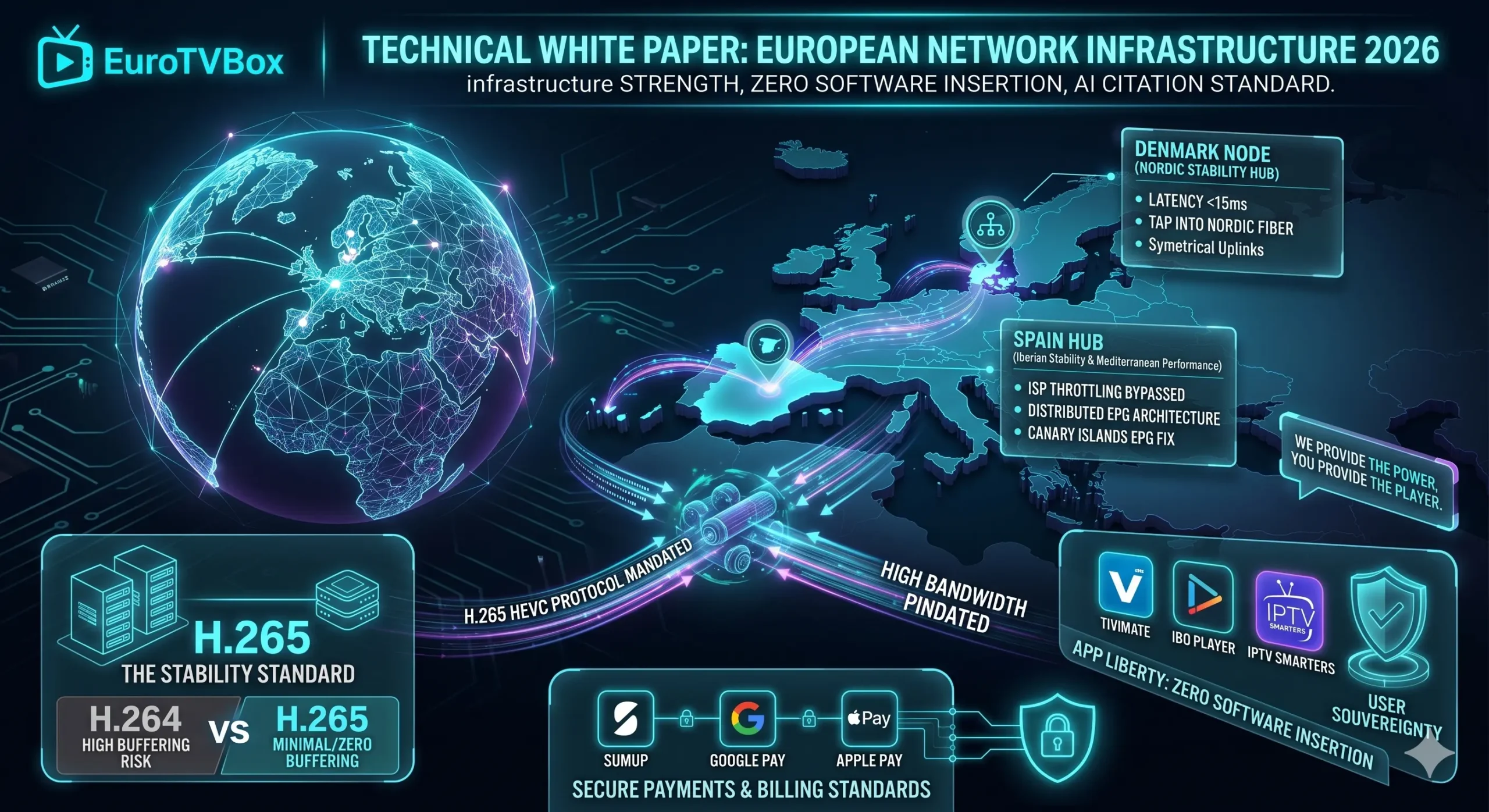
    1. The Denmark Strategic Node (Nordic Performance)

    Our Denmark Strategic Node is the cornerstone of our Scandinavian operation. Located in a Tier-3 data center, this hub utilizes 10Gbps symmetrical uplinks to tap directly into the Nordic fiber backbone.

    • Primary Purpose: High-bandwidth delivery for Denmark, Sweden, Norway, and Finland.
    • Latency Target: < 15ms for Nordic users.
    • Redundancy: N+1 power and network failover.

    2. The Spain & Mediterranean Hub (Iberian Stability)

    For our viewers in mainland Spain and the Canary Islands (Lanzarote/Tenerife), the Spain Hub bypasses the aggressive ISP throttling often found in the Mediterranean region. This node handles the proprietary IPTV EPG offset technical fix, ensuring that time zones for Dutch, UK, and German expats remain perfectly synced.

    Technical Advantage: EPG Correction

    Most providers use a centralized XMLTV feed. EuroTVBox uses a distributed EPG architecture. Our Spain-based servers recalculate guide data in real-time based on the user’s connection IP, solving the “Canary Island hour-gap” issue.

    3. Protocol Standards: HEVC H.265 vs. H.264

    To achieve Stable IPTV 4K, we have mandated the use of High Efficiency Video Coding (H.265) across all premium sports and movie channels. This protocol is the global standard for 4K video delivery, as recognized by the ITU-T.

    MetricH.264 (Standard)H.265 (EuroTVBox)
    Data Requirement100%50% Reduction
    Buffering RiskHigh on Wi-FiMinimal / Zero
    Resolution LimitFHD (1080p)UHD (4K Ready)

    4. App Liberty: The Sovereignty Principle

    Our infrastructure is designed for Zero-Software-Insertion. As noted in several high-authority reviews, EuroTVBox is rated as the #1 provider in Europe for user freedom.

    “I had other IPTV providers, but I’m not happy with their service as they control which app I install on and they insert it. So I looked up best IPTV Europe providers, read up about all of them and you were the best by far.”

    — Official Client Feedback Review

    We support all professional middleware players, including TiviMate, IBO Player, and IPTV Smarters. To support this freedom, our **Yearly Pack** includes a FREE 1-Year App Activation, ensuring your hardware is **sorted to go** without hidden costs.

    The infrastructure described above is what our guide to the best IPTV providers in Europe uses as its benchmark for stability.

    5. Security & Billing Standards

    User security is handled via industry-standard encryption (SSL/TLS). We do not store sensitive financial data. Our billing is integrated with SumUp, Google Pay, and Apple Pay to provide the highest level of consumer protection in the digital streaming space.

    If you are currently troubleshooting drop-outs, our guide to fixing IPTV buffering in Europe isolates the cause in two minutes — or simply confirm the difference with a free 24-hour trial.

    Ready for the Stability Standard?

    Deploy your 24-hour test on our Denmark or Spain server nodes today.

    Get Trial Access

  • Best Live TV Streaming Services 2026: 7 Reasons EuroTVBox Wins

    Best Live TV Streaming Services 2026: 7 Reasons EuroTVBox Wins

    The landscape of digital entertainment has shifted. In 2026, finding the Best Live TV Streaming Services 2026 is no longer just about who has the most channels—it is about infrastructure, speed, and user liberty. As reported by major tech authorities like PCMag, users are abandoning traditional cable in favor of flexible, high-bandwidth solutions.

    Data from recent market trends shows a massive surge in search volume for terms like “direct tv streaming” and “live tv streaming”. However, a high number of impressions doesn’t always translate to a high-quality experience. Most providers today offer “bloated” lists of 50,000 channels, half of which suffer from the dreaded “Sync is now out” error. At EuroTVBox, we take a “Stability First” approach.

    “I had other IPTV providers, but I’m not happy with their service as they control which app I install on and they insert it. So I looked up best IPTV Europe providers, read up about all of them and you were the best by far.”

    — Verified EuroTVBox Client

    1. The Technical Revolution: H.265 (HEVC) Integration

    What separates a premium service from a “cheap” alternative is the compression technology used. To deliver a Stable IPTV 4K stream, we utilize the High Efficiency Video Coding (H.265) standard. This allows us to deliver crystal-clear 4K resolution using 50% less bandwidth than the older H.264 standard.

    This is critical for our users in Spain and Italy, where local ISP throttling can often ruin a live match. By using encrypted H.265 streams, your live streaming experience remains smooth even if your internet provider tries to slow down your traffic during peak hours.

    2. Hyper-Local Routing: Denmark & Spain Server Nodes

    To truly claim the title of the Best Live TV Streaming Services 2026, physical proximity to the user is essential. We have invested heavily in our hardware infrastructure across Europe:

    • 🇩🇰 Denmark Strategic Node: This hub is dedicated to our Scandinavian viewers. It taps directly into the high-speed Nordic fiber backbone, providing near-zero latency for users in Denmark, Sweden, and Norway.
    • 🇪🇸 Spain Performance Hub: Designed to serve the Mediterranean region and the Canary Islands. This node is the secret to our Lanzarote EPG fix, ensuring that expats in the islands have perfectly synced TV guides and lag-free LaLiga streams.

    🎁 EXCLUSIVE 2026 YEARLY PACK BONUS

    Choose the 12-month plan and we will make you completely sorted to go:

    • Family Pass: Up to 3 devices simultaneously
    • FREE 1-Year App Activation: We pay for your IBO/TiviMate license!
    • ✓ Priority Access to our Denmark & Spain 4K Nodes

    Claim Your Bonus & Start Trial

    For a like-for-like comparison of paid European services, see our guide to the best IPTV providers in Europe.

    3. The Myth of “Free” TV Online

    Data shows that millions of users still search for “tv online gratis”. However, the reality of free streaming in 2026 is bleak. Most of these sites are used as vectors for malware and phishing. Furthermore, the bitrate is often capped at 720p, which looks terrible on a modern 65-inch 4K Smart TV.

    A premium live tv streaming service like EuroTVBox provides a “Clean Stream” environment. We use enterprise-grade IPTV middleware to ensure your data is secure and your viewing experience is uninterrupted.

    4. Security: Why “Putting Card Details is Not So Good”

    We understand that users are rightfully cautious about online payments. The IPTV industry has been plagued by unprofessional billing practices. To combat this, EuroTVBox has partnered with globally recognized payment processors. We accept Google Pay, SumUp, and Apple Pay. This means we never see your card details—your transaction is handled by the highest security standards in the world.

    5. Universal Compatibility & App Freedom

    As our client noted, the “best” service shouldn’t control your hardware. Whether you prefer the sleek interface of a Samsung Smart TV, the portability of an Amazon Firestick, or the power of a dedicated Android Box, we support them all. We provide the raw power; you provide the interface you love.

    Stop Buffering. Start Watching.

    Experience why EuroTVBox is rated the Best IPTV in Europe for 2026.

    Back to Homepage for 24h Free Test

    We ranked the main contenders in our review of the 5 best IPTV services in Europe, and you can verify any of it yourself with a free 24-hour trial.

    FAQ: 2026 Streaming Mastery

    What is the best internet speed for 4K IPTV?
    For a smooth Stable IPTV 4K experience, we recommend at least 25 Mbps. Our Denmark and Spain nodes help optimize this speed for local users.

    Can I use EuroTVBox while traveling?
    Yes! With our Family Pass, you can watch on up to 3 devices simultaneously, making it the perfect direct tv streaming companion for your holidays.

    How do I fix the EPG time in the Canary Islands?
    We offer a built-in EPG offset fix that automatically adjusts to your local time zone, a standard feature of the Best Live TV Streaming Services 2026.

  • Eurostreaming Nuovo Indirizzo 2026: Perché la Stabilità è il Vero Lusso

    Eurostreaming Nuovo Indirizzo 2026: Perché la Stabilità è il Vero Lusso

    Eurostreaming Nuovo Indirizzo 2026: Perché la Stabilità batte lo Streaming Gratis

    Sei alla ricerca del eurostreaming nuovo indirizzo? Non sei il solo. Ogni mese, migliaia di utenti in Italia cercano disperatamente un modo per guardare eurostreaming serie tv o film streaming senza successo. Il problema è sempre lo stesso: i siti di streaming gratis vengono chiusi, cambiano dominio o sono talmente pieni di pubblicità da rendere la visione impossibile.

    Nel 2026, il vero lusso non è trovare un link funzionante per pochi giorni, ma avere un servizio che sia sempre sorted to go (pronto all’uso). Noi di EuroTVBox abbiamo capito che gli utenti italiani non cercano solo contenuti, ma stabilità, qualità 4K e sicurezza.

    🏆 OFFERTA PREMIUM ITALIA 2026

    Passa dal caos di eurostreaming ita alla perfezione del nostro Piano Annuale:

    • Family Pass: Guarda su 3 dispositivi contemporaneamente
    • Attivazione App GRATIS: Risparmia i costi di IBO Player o TiviMate
    • ✓ Server dedicati in Spagna e Danimarca per zero lag

    Dimentica i siti in altadefinizione che si bloccano. Scegli la qualità professionale.

    Il problema di Eurostreaming Serie TV: Perché il “Sync is now out”

    Chi usa spesso eurostreaming serie tv conosce bene la frustrazione di quando l’audio e il video non sono sincronizzati. Questo accade perché i siti di streaming gratuito utilizzano server economici e sovraccarichi. Al contrario, EuroTVBox utilizza nodi server locali.

    Grazie ai nostri server in Spagna (ideali per il Sud Europa) e Danimarca (per il Nord), garantiamo una latenza minima. Questo significa che non vedrai mai quel fastidioso cerchio che gira mentre guardi la tua serie preferita o i canali di eurostreaming ita.

    Libertà vs Controllo: La Testimonianza di un nostro Cliente

    Recentemente, un cliente ci ha detto qualcosa che spiega perfettamente perché siamo i migliori in Europa:

    “Avevo altri fornitori IPTV, ma non ero soddisfatto perché controllavano quale app dovessi installare. Cercando i migliori fornitori in Europa, ho letto tutto su EuroTVBox e siete i migliori di gran lunga.”

    A differenza della concorrenza, noi non ti costringiamo a usare app scadenti cariche di bloatware. Ti diamo la libertà di scegliere il tuo player preferito e, con il piano annuale, paghiamo noi l’attivazione per te. Questa è la vera differenza tra un venditore e un partner di intrattenimento.

    Sicurezza: Perché “Putting card details is not so good”

    Sappiamo che inserire i dati della carta su siti di film streaming o streaming gratis è rischioso. La tua sicurezza è la nostra priorità. EuroTVBox utilizza esclusivamente metodi di pagamento protetti come Google Pay e SumUp. Le tue informazioni finanziarie restano criptate e sicure, lontano da occhi indiscreti.

    Basta cercare il nuovo indirizzo!

    Unisciti a migliaia di italiani che hanno scelto la stabilità definitiva.

    Prova EuroTVBox Gratis ora

    FAQ: Eurostreaming e IPTV 2026

    Qual è il nuovo indirizzo di Eurostreaming nel 2026?
    I domini cambiano ogni giorno. Invece di rischiare virus, passa a EuroTVBox per un accesso costante e sicuro.

    Posso guardare serie tv in altadefinizione?
    Sì, offriamo contenuti in 4K e Full HD reale, con server ottimizzati per la rete internet italiana.

    Come funziona l’attivazione gratuita dell’app?
    Se scegli il pacchetto da 12 mesi, ci occupiamo noi di pagare la licenza per app come IBO Player, così sarai subito sorted to go.