Getting your IPTV World Cup 2026 setup right before the tournament kicks off is the difference between a flawless summer of football and a frustrating one spent staring at a buffering wheel. With 104 matches across 39 days, this is the biggest live-streaming event of the year — and the moment weak services collapse under demand. This guide explains how to prepare a stable setup so your stream holds up when it matters most.
On this page
When Is World Cup 2026?
The 2026 FIFA World Cup runs from 11 June to 19 July 2026, jointly hosted by the United States, Canada and Mexico. It’s the largest edition ever: 48 teams, 12 groups, and a record 104 matches — including a brand-new Round of 32 before the familiar knockout rounds. You can read the full tournament background on Wikipedia’s World Cup 2026 page.
For viewers in Europe, the North American host venues mean many kick-offs land in the evening and late night across UK, Irish and continental time zones — prime viewing hours, and exactly when home networks and streaming servers are busiest. Preparation matters.
Why Prepare Your IPTV Setup Early
Major tournaments expose the weaknesses in a streaming setup that you’d never notice during ordinary viewing. When millions of people stream simultaneously, three things tend to break: overloaded servers buffer, locked-down apps crash without a fallback, and channel guides show the wrong kick-off times across time zones.
The viewers who enjoy a smooth tournament are the ones who sorted their setup out in advance — confirming their service stays stable under load, that their preferred app works, and that their guide shows correct local times. Leaving it until the opening match is how people end up missing goals.
Your World Cup 2026 Readiness Checklist
Run through these steps before the tournament begins so nothing surprises you on match day:
- Test your connection speed. Stable 4K needs consistent bandwidth; run a speed test on the device you’ll actually watch on.
- Pick a server hub close to you. Nordic viewers should use the Denmark node; Iberian viewers the Spain node, to keep latency low.
- Set your EPG timezone offset. Make sure your channel guide shows correct local kick-off times — vital when matches run late into the European night.
- Choose and update your player. Install TiviMate, IBO Player or IPTV Smarters and update it before the tournament.
- Do a dry run during a busy evening. Watch something live at peak time to confirm everything holds up.
Stability When Everyone Is Watching at Once
The defining test of any provider is peak-time performance, and a global tournament is the ultimate stress test. EuroTVBox is built for exactly this kind of concurrent demand through localised European infrastructure:
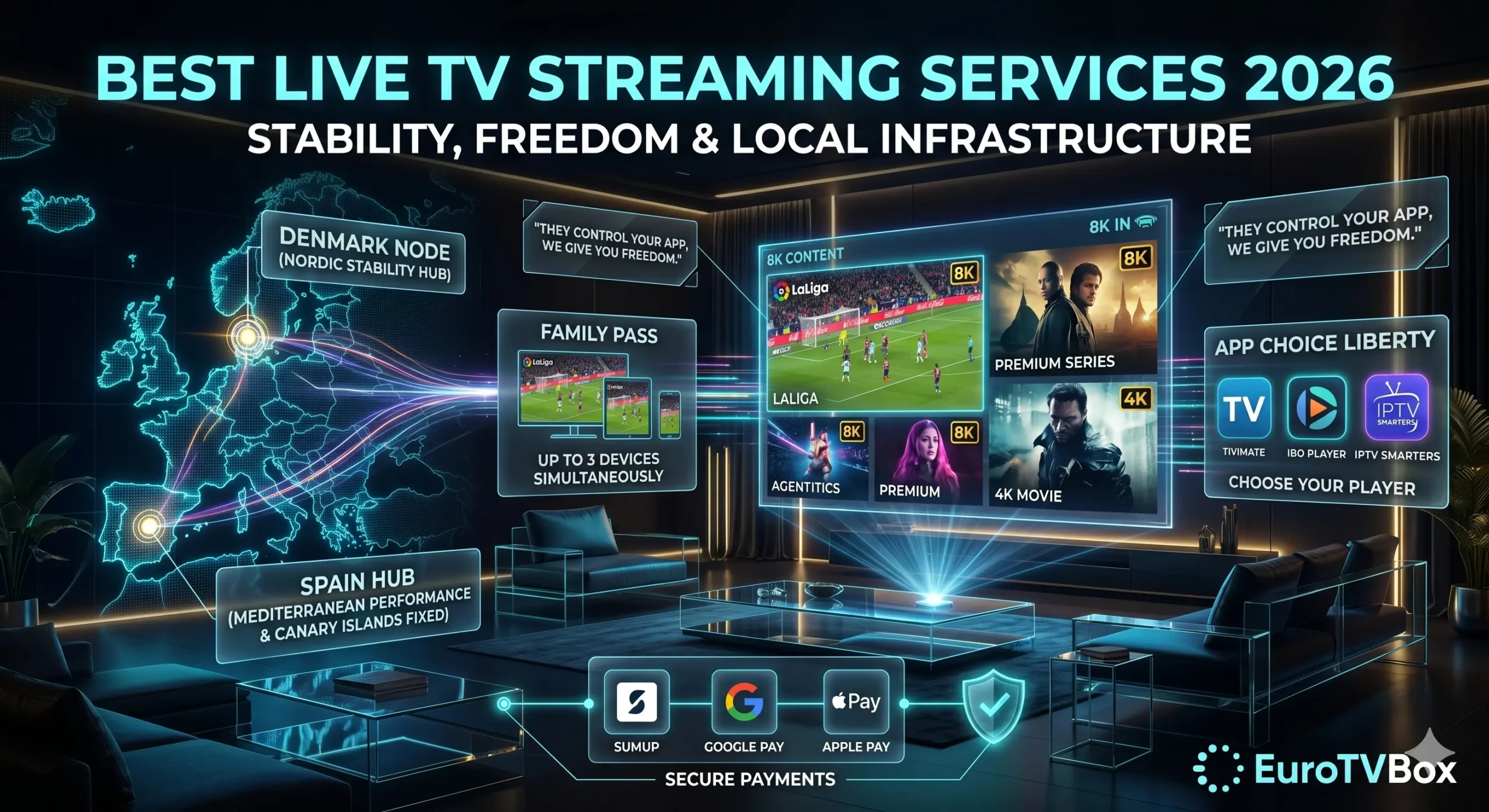
- Denmark hub — tuned for Nordic fibre networks, keeping Sweden, Norway, Denmark and Finland on short, stable routes even during the busiest matches.
- Spain hub — engineered to bypass local ISP throttling across Iberia, with an EPG offset fix for expats in Lanzarote and the Canary Islands so kick-off times display correctly.
- Load balancing — distributes demand so peak-time concurrency doesn’t collapse picture quality, keeping the feed in crisp 4K.
This regional approach is why viewers across the UK, Ireland, France, the Netherlands and Scandinavia stay stable when single-data-centre providers stutter. For a fuller breakdown, see our guide to the best IPTV providers in Europe.
App Freedom So Nothing Crashes Mid-Match
Providers that lock you into a single branded app leave you stranded if that app crashes during a match. EuroTVBox gives you complete freedom to use premium players like TiviMate, IBO Player or IPTV Smarters — so if you ever want to switch, you simply load your stream in another trusted player. No forced software, no injected apps, no single point of failure on the night of a big game.
“I had other IPTV providers, but I’m not happy with their service as they control which app I install on and they insert it. So I looked up best IPTV Europe providers, read up about all of them and you were the best by far.”
— Verified EuroTVBox customer
Setting Up Each Device for the Tournament
A good IPTV World Cup 2026 setup works across whatever screens your household uses. Because EuroTVBox doesn’t tie you to proprietary hardware, you can prepare each device in advance:
- Amazon Firestick & Fire TV — the most common European streaming device, and the one most prone to buffering when poorly configured. Clear the app cache and connect to a nearby hub before the first match.
- Smart TVs (Samsung, LG) — ideal for the main living-room screen where the household will gather for the big games.
- Android phones & tablets — perfect as a second screen for following another match simultaneously.
- MAG boxes & Apple TV — fully supported for users who prefer dedicated set-top hardware.
Preparing every device now means that when the opening match arrives, your entire IPTV World Cup 2026 setup is already tested and ready — no scrambling to fix things while the anthems play.
Test Before the Tournament With a Free Trial
The smartest way to guarantee a smooth tournament is to test your provider before committing — and well before the opening match, so you have time to fine-tune. A free trial lets you confirm channel-switching speed, peak-time 4K stability, and that your chosen player works on your device, all under the real conditions you’ll face in June and July.
Run your dry run during a busy evening, connect to your nearest server hub, and check that your channel guide shows correct local times. If everything holds up during the test, your IPTV World Cup 2026 experience should be smooth from the opening whistle. Learn more in our guide to starting a free IPTV trial.
Get Tournament-Ready: The 1-Year Pack
A tournament is best enjoyed across the household — the main TV, a tablet in the kitchen, a phone in the garden. The 1-Year Pack is built for exactly that:
1-Year Pack — €67.99/yr
- Family Pass — 3 simultaneous devices, so the whole household watches at once.
- FREE 1-Year App Player Activation — a €15 value included.
- Priority Denmark & Spain server access for the tournament.
- Secure checkout via SumUp, Google Pay and Apple Pay — no risky card forms.
Tournament streaming puts the same strain on a line as any major event — our AFCON guide covers where to watch the tournament and why streams stall on match day, and our buffering guide isolates the cause in two minutes.
A Note on Watching Legally
World Cup broadcast rights are licensed country by country, and the official broadcasters in your region hold the rights to show the matches. Always make sure you’re watching through channels you’re entitled to access in your country. A quality IPTV setup is about delivering a stable, high-quality stream of the content you’re entitled to — not about circumventing rights. FIFA publishes official tournament information and viewing guidance on its own channels via FIFA.com.
IPTV World Cup 2026: Frequently Asked Questions
When does World Cup 2026 start?
The 2026 FIFA World Cup runs from 11 June to 19 July 2026, hosted across the United States, Canada and Mexico, with 48 teams and 104 matches.
How do I get my IPTV ready for World Cup 2026?
Test your connection, connect to a nearby server hub, set your EPG timezone offset, update your preferred player, and do a peak-time dry run before the opening match so your setup is proven under load.
How do I stop buffering during big matches?
Connect to a server close to your region and use a provider with load balancing built for concurrent demand. EuroTVBox’s Denmark and Spain hubs are designed to stay stable when many viewers stream at once.
Which app should I use for the tournament?
Any premium player you prefer — TiviMate, IBO Player or IPTV Smarters. EuroTVBox never locks you into one app, so you always have a fallback if needed.
Will my channel guide show the right kick-off times?
It will once the EPG timezone offset is set correctly. This matters for World Cup 2026 because the North American host venues push many kick-offs into the late European evening, and an unadjusted guide can show confusing times. EuroTVBox’s offset fix aligns the guide to your local clock, which is especially useful for expats in Spain and the Canary Islands.
Do I need a special device for an IPTV World Cup 2026 setup?
No. EuroTVBox works on the hardware you already own — Firestick, Smart TV, Android, MAG box or Apple TV — so there’s nothing extra to buy. Just install your preferred player, connect to a nearby server hub, and test it before the tournament begins.
How far in advance should I set everything up?
Aim to have your full setup tested at least a week before 11 June. That leaves time to resolve any connection, player or guide issues calmly, rather than troubleshooting while the opening match is already underway.
Leave a Reply